GPT Image 2 Review: Text Rendering, API Access, and the Best Alternatives
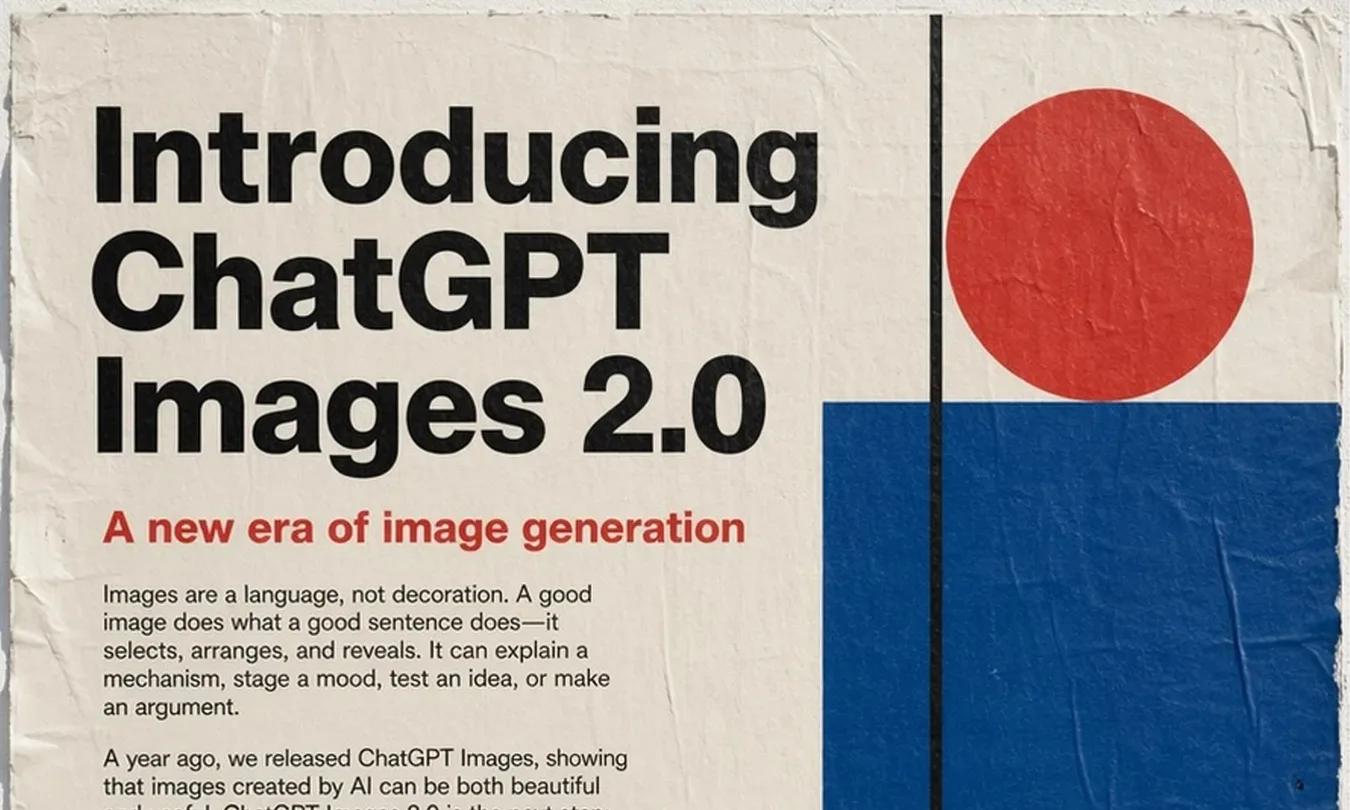
OpenAI launched GPT Image 2 on April 21, 2026 as part of ChatGPT Images 2.0. One capability stood out in the official launch, developer docs, and early media coverage: it renders text inside images far more reliably than previous general-purpose models. Poster headlines, packaging labels, menus, and multilingual copy finally work well enough to matter.
That is the launch story. But if you are evaluating GPT Image 2 for real work, you still need answers to the practical questions: How do I access it? Can I use the API? Is it better than Nano Banana Pro? And what happens after generation, when the output needs to become an editable deliverable?
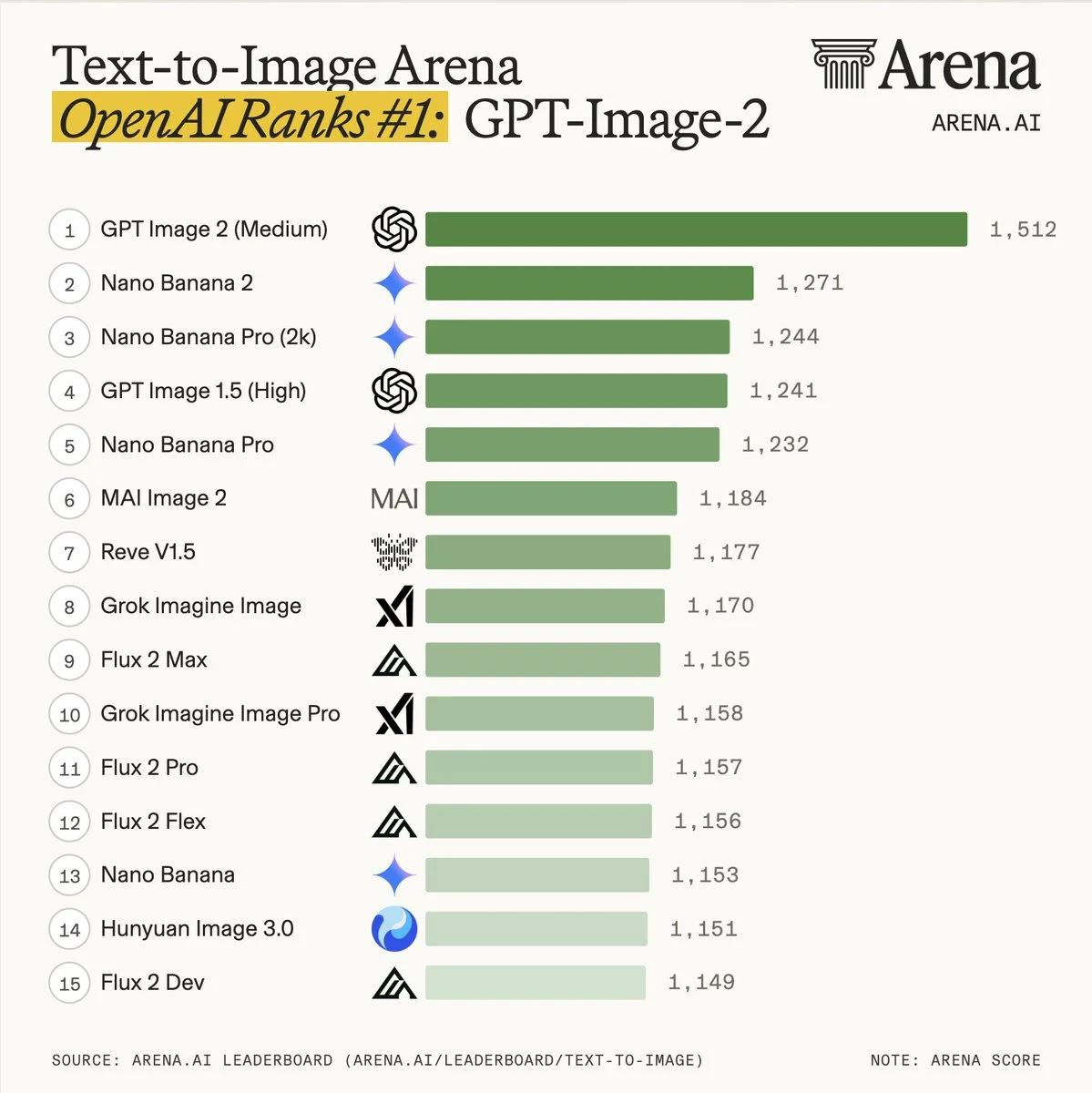
The benchmarks back up the hype. On the public Text-to-Image Arena leaderboard run by LMArena, GPT Image 2 (Medium) currently sits at #1 with an ELO of 1,512, well ahead of Nano Banana 2 at 1,271. That is not a small gap — it is the largest lead any image model has held on Arena since the leaderboard launched.
This guide covers all of that. The short version: you can use GPT Image 2 for free in Veeso, which also solves the problem most guides ignore — keeping text editable after the image is generated.
What Is GPT Image 2?
GPT Image 2 is OpenAI's latest image generation and editing model. It is available inside ChatGPT and via the OpenAI API as the model identifier gpt-image-2. The biggest upgrade over DALL-E 3 and GPT Image 1 is not just image quality. It is how much more usable the model feels for actual commercial output.
What it does well
- In-image text — poster headlines, packaging labels, menus, multilingual and non-Latin copy. Earlier models produced garbled or hallucinated text at this scale. GPT Image 2 handles it well enough for real production use.
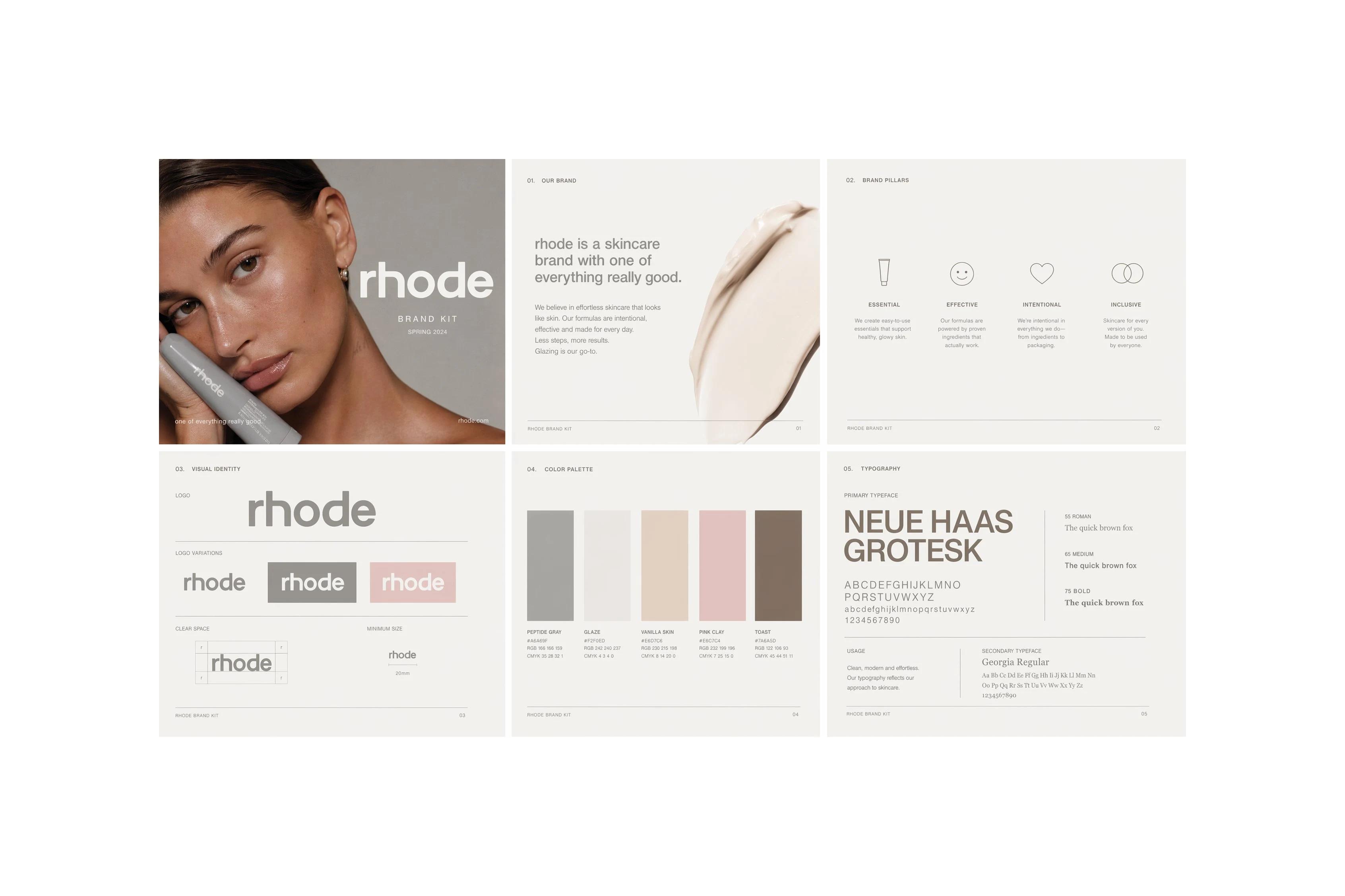
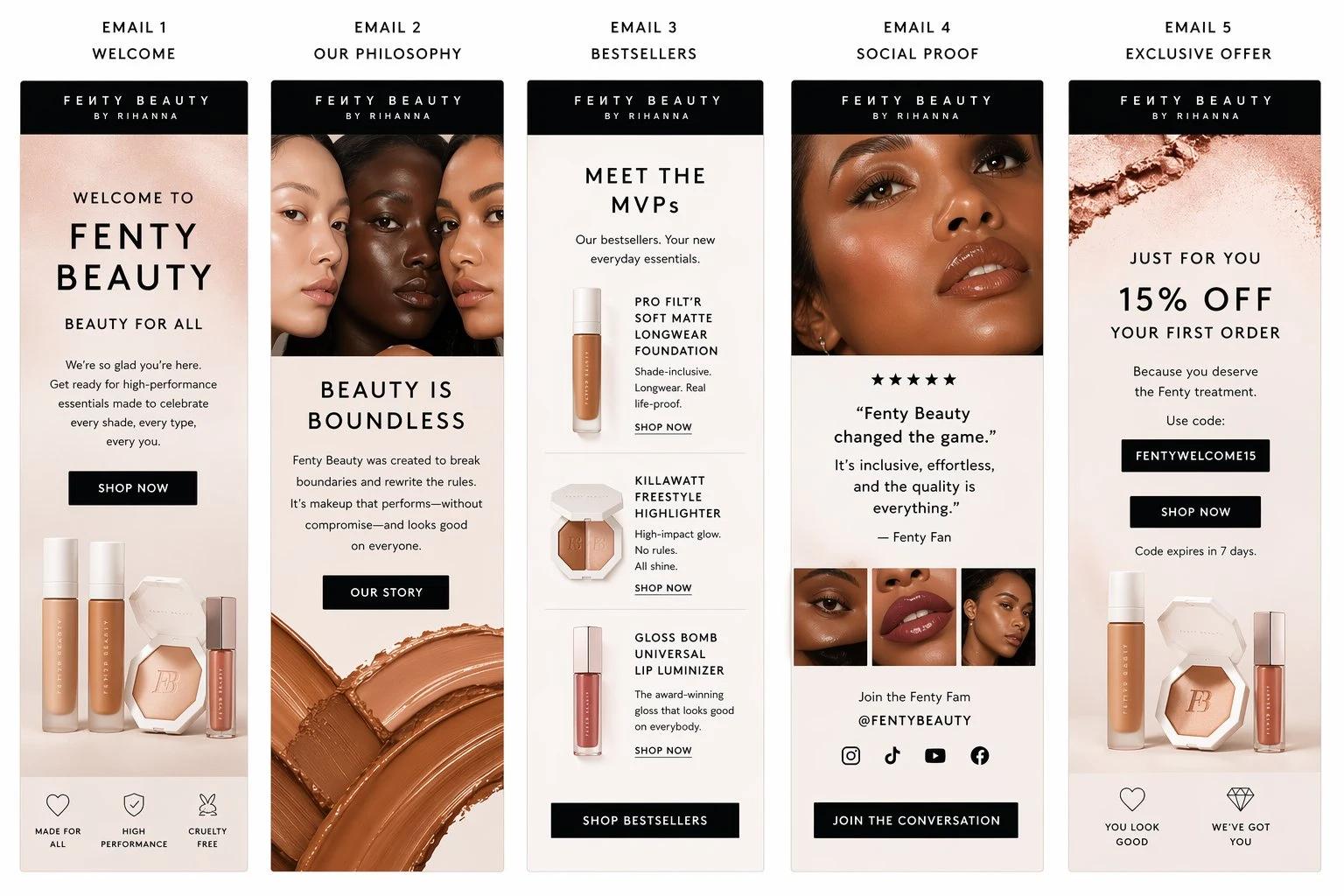
- Commercial-looking realism — product shots, packaging mockups, branded scenes. The output reads more like photography than typical AI art.
- Targeted editing — you can update one part of an image without regenerating the whole scene, which makes revision feel like iteration rather than gambling.
- API-first access — you can access gpt-image-2 from the official GPT Image 2 model page, where OpenAI documents its capabilities, supported inputs, model snapshot, rate limits, and image-generation access for builders integrating it into creative automation, ecommerce workflows, or internal tools.
- Flexible production settings — OpenAI positions the model around fast generation, editing, flexible image sizes, and high-fidelity image inputs instead of just one-shot prompting, per the official model page.
- Higher practical ceiling — early coverage repeatedly points to menu-grade text, marketing assets, product visuals, and outputs up to 2K resolution as the real story. Third-party explainers like MindStudio frame it the same way.
Two examples make that practical angle clearer. One is a campaign-style case study shared by Jamey Gannon on X. The other is an EDM-style marketing example shared by Salma Aboukarr on X. Both fit the exact kind of output people are now testing GPT Image 2 for: text-led commercial assets, not just pretty concept art.
What GPT Image 2 still does not solve
GPT Image 2 is still an image model, not a full design system.
- The text inside the image is still baked into pixels, not a real editable text layer.
- Multi-page layout is still outside the model's scope.
- If the copy changes later, you usually need to regenerate the image instead of simply editing the text.
- Repeated regeneration can also soften details and make the result look progressively blurrier.
- For prompts that depend on strict scene logic, it can still lose to stronger reasoning-first models.
Claude Design vs GPT Image 2
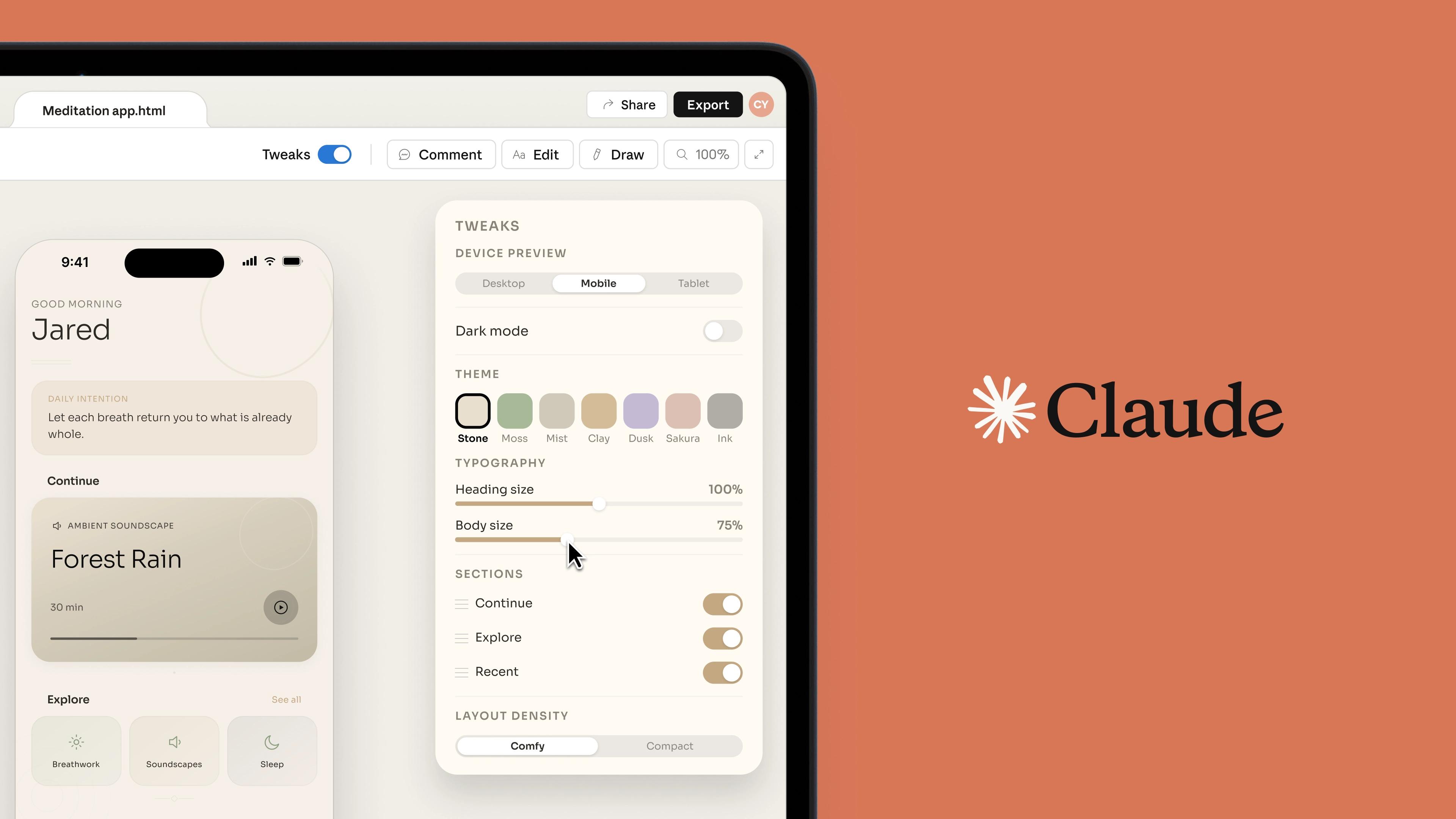
Claude Design and GPT Image 2 solve different problems. GPT Image 2 is stronger when you need the model itself to generate a polished visual, especially one with realistic styling and readable text inside the image. Claude Design is closer to a layout and composition tool: it is more about turning prompts, documents, and structured content into slides, pages, and UI-like outputs.
That is also why Veeso is often a more practical low-cost alternative to Claude Design than a direct alternative to GPT Image 2. If your real need is editable posters, one-pagers, decks, and marketing layouts, the workflow question is less "which image model is best?" and more "which tool lets me keep working after the image is generated?" In that comparison, GPT Image 2 is the image engine, while Veeso is closer to the affordable, editable-layout side of what people are often looking for in Claude Design.
How to Access GPT Image 2
In ChatGPT
The fastest route is inside ChatGPT itself. Describe the image, upload a reference if needed, and iterate conversationally. Best for rapid concept testing, poster exploration, and quick edits — no setup required. Availability by plan is documented on the OpenAI help center.
Best for:
- testing prompt direction fast
- exploring poster or packaging ideas
- quick variations before committing to a workflow
Via the OpenAI API
For anyone building a product or automating a workflow, the OpenAI API is more important than the chat interface. The gpt-image-2 model is available through the image generation and edit endpoints, which means you can integrate it into:
- creative automation and batch processing pipelines
- branded asset generation tools
- ecommerce product image workflows
- content management and marketing ops systems
This is the right path if your team needs repeatability, not just a pretty one-off output. Check the pricing page before you budget a batch job.
In Veeso — the free option
Most people need more than a generated image. They need a finished asset — a poster, a one-pager, a campaign visual where text can still be changed.
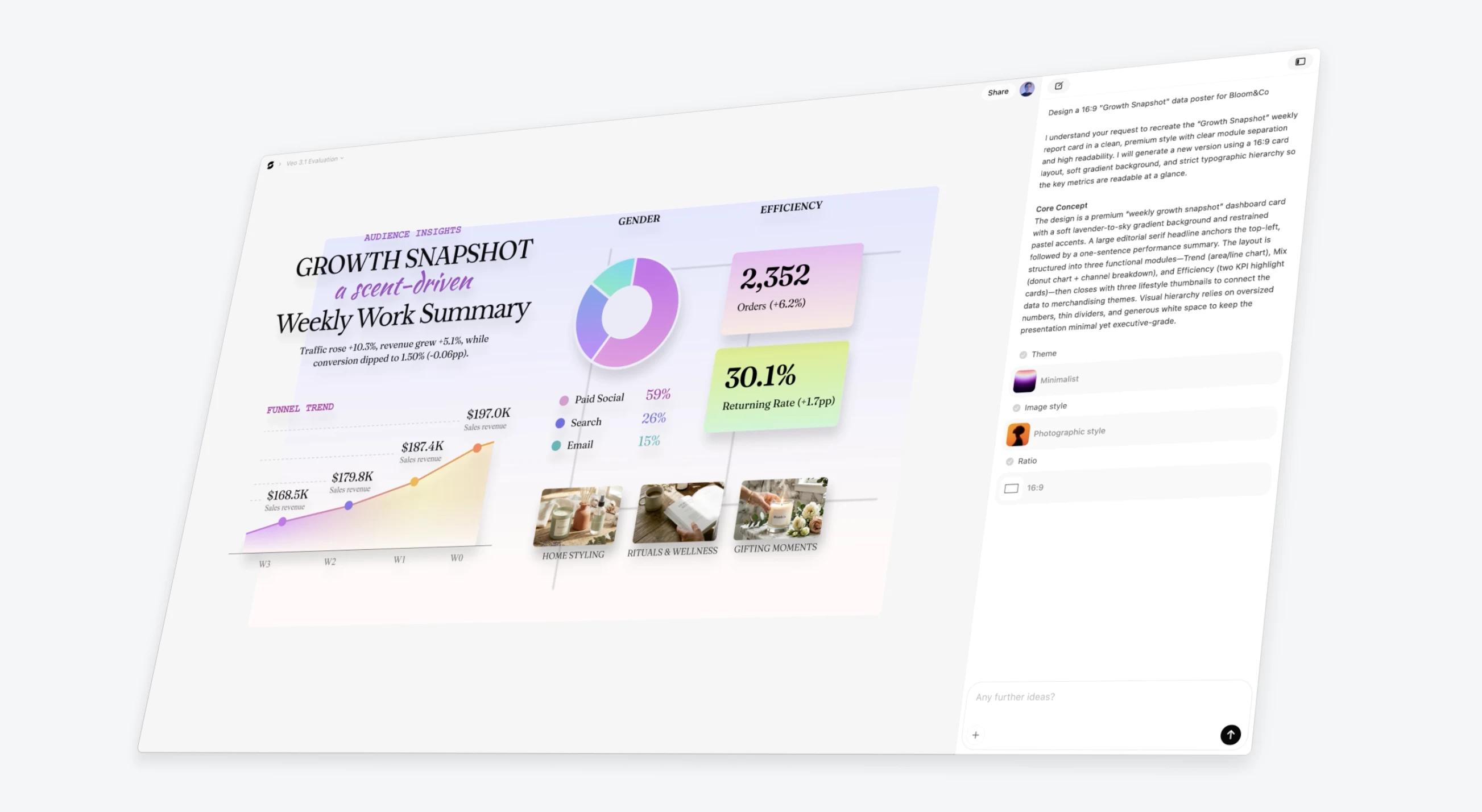
Veeso is where that happens. You can use GPT Image 2 for free in Veeso, then continue building in a layout environment where headlines, prices, and copy stay as editable text layers — not pixels. That removes the painful cycle of regenerating the entire image every time copy changes, and makes variant production much faster. If you want the broader story on why this workflow matters, see our earlier piece on Claude Design and the best AI design alternatives.
That difference matters most for teams making:
- posters in multiple sizes
- one-pagers and sales sheets
- campaign variants with copy changes
- image-led layouts that still need editable text
GPT Image 2 vs Nano Banana Pro
This is still the most relevant comparison for commercial use, but the direction is no longer hard to read. GPT Image 2 already looks like the stronger long-term model, and it is easier to imagine OpenAI widening the gap than losing it.
Why GPT Image 2 is pulling ahead
GPT Image 2 is ahead in the places that matter most for real output:
- posters with readable headlines
- packaging comps with real label copy
- product hero shots and ad visuals
- multilingual or non-Latin text in the image
That matters because these are not niche edge cases. They are exactly the jobs teams actually ship. If the brief sounds like "make this look ready to publish," GPT Image 2 is already the safer first choice.
The Arena leaderboard reinforces the same story: GPT Image 2 is not just slightly ahead. It is meaningfully ahead. And once a model has stronger text, stronger commercial realism, and stronger distribution through ChatGPT plus the OpenAI API, it becomes very hard for the trailing model to stay equally relevant.
Where Nano Banana Pro still has some value
Nano Banana Pro still has some appeal if your prompt is unusually structural:
- strict spatial arrangements
- exact object counts
- scene logic where prompt obedience matters more than polish
But even here, that reads more like a temporary specialty than a durable advantage. If OpenAI continues improving instruction following at the current pace, GPT Image 2 can realistically absorb this remaining gap too.
Head-to-head right now
| GPT Image 2 | Nano Banana Pro | |
|---|---|---|
| Best for | posters, packaging, commercial text | structural prompts and scene logic |
| In-image text | excellent | very good |
| Photorealism | excellent | excellent |
| Composition reasoning | very good | very good to excellent |
| Style range | photoreal-led | broader |
| Access | ChatGPT + API | Gemini + AI Studio + Veeso |
| Free path | via Veeso | yes, via Google AI Studio or Veeso |
The practical takeaway is simple: Nano Banana Pro still has use cases, but GPT Image 2 looks much more likely to become the default winner.
Best GPT Image 2 Alternatives
| Tool | Best for | Quick take |
|---|---|---|
| GPT Image 2 | Commercial posters, packaging, product visuals | Best all-around choice for readable text and polished realism |
| Veeso | Editable posters, one-pagers, decks, and layouts | Best if you need to keep editing text and layout after generation |
| Midjourney | Editorial, mood, and concept art | Best for style-first images, weaker for text-heavy work |
| Flux | Open-weights, fine-tuning, and self-hosting | Best for custom workflows and teams that want control |
| Ideogram | Budget typography and poster work | Strong low-cost option for text-led poster design |
| Nano Banana Pro | Structural prompts and scene logic | Still useful for strict composition; you can also run it in Veeso next to GPT Image 2 |
Midjourney is still the benchmark for stylized, editorial, and mood-driven imagery. Not the right tool when text accuracy or commercial realism matters most.
Flux (by Black Forest Labs) is the best open-weights option. Worth it if you need self-hosting, brand fine-tuning, or LoRA workflows — weights are on Hugging Face. Out-of-the-box text rendering trails GPT Image 2.
Ideogram is a practical budget pick for text-heavy poster and social work. Weaker for complex product realism.
Veeso solves the step after generation: turning GPT Image 2 output into an editable deliverable with real text layers, layout structure, and formats your team can keep working with — and it's free to start.
Which alternative should you choose?
- Choose Veeso if the image needs to become a real, editable asset after generation.
- Choose Midjourney for taste, mood, and editorial direction.
- Choose Flux for open workflows, self-hosting, and customization.
- Choose Ideogram for lower-cost text-heavy poster work.
- Choose Nano Banana Pro only if your prompt is unusually structural — try it in Gemini, AI Studio, or the same Veeso workflow you use for GPT Image 2.