Claude Design: What It Is, How to Use It, and the Best Alternatives
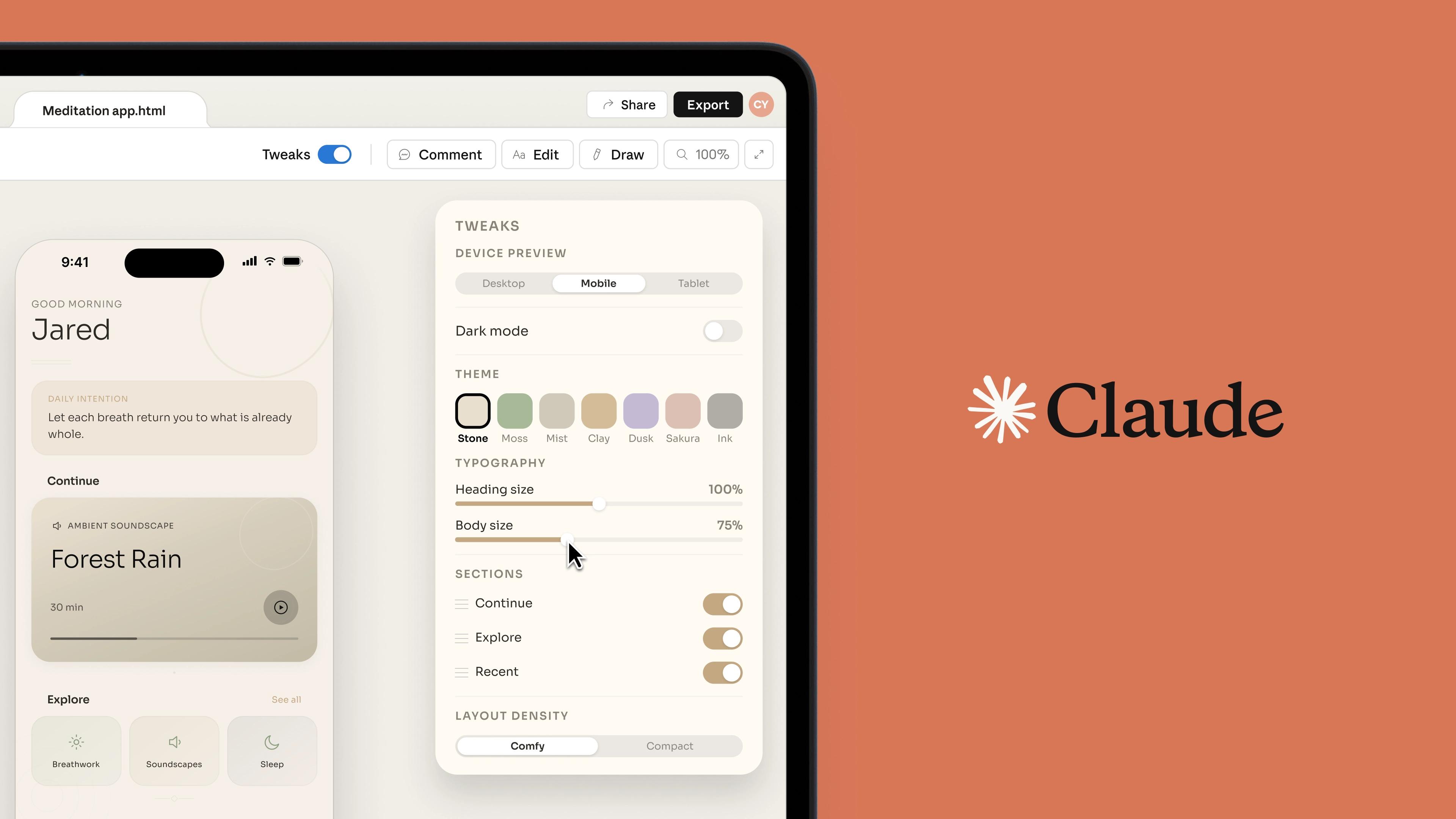
Anthropic just dropped its most ambitious product yet. On April 17, 2026, the company behind Claude launched Claude Design — an AI-powered visual design tool that lets anyone go from a text prompt to polished prototypes, slide decks, and marketing materials in minutes. Figma's stock fell 7% the same day.
But is Claude Design the right tool for every design workflow? In this guide, we break down exactly what Claude Design is, where it shines, where it falls short, and which alternatives might serve you better depending on your needs.
What Is Claude Design?
Claude Design is a new AI-powered visual design product from Anthropic, built on top of their most capable vision model, Claude Opus 4.7. It allows users to create web prototypes, app wireframes, slide decks, one-pagers, marketing materials, and interactive experiences through natural language conversation.
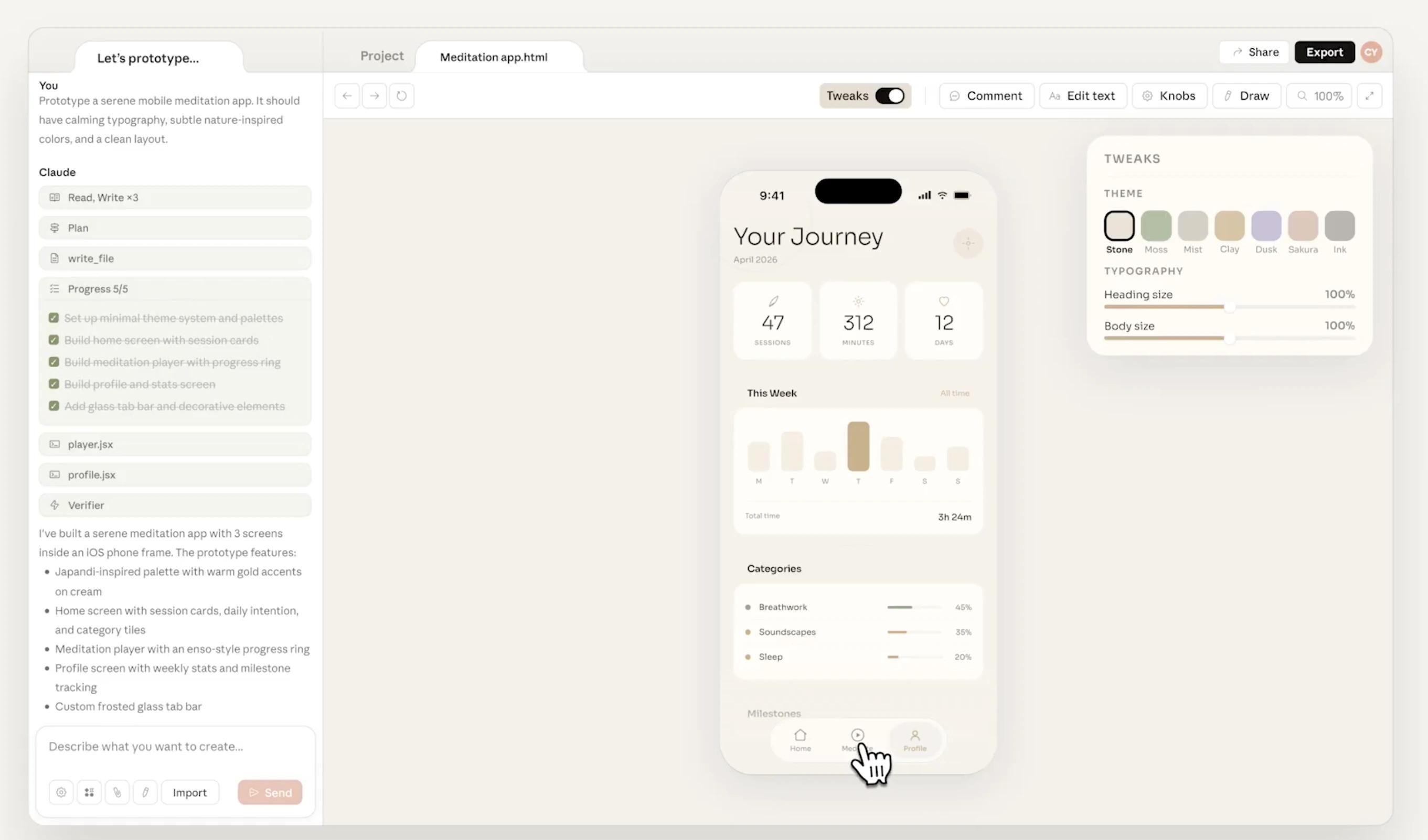
Think of it as what Claude Code did for software development — but for design work. Instead of staring at a blank canvas, you describe what you want, and Claude generates a first draft. From there, you refine through conversation, inline comments, direct text editing, or custom adjustment sliders for spacing, color, and layout.
The tool was developed under the leadership of Mike Krieger, Anthropic's Chief Product Officer and Instagram co-founder, who resigned from Figma's board just three days before the launch — a move that speaks volumes about Anthropic's competitive ambitions.
Key Features of Claude Design
Conversational Design Workflow
Claude Design replaces the traditional "tool-first" approach with a conversation-first workflow. You describe your vision in plain English, and the AI generates a complete first draft. Refinements happen through:
- Chat-based iteration — ask Claude to adjust colors, rearrange sections, or change the tone
- Inline comments — click on any element and leave feedback for Claude to act on
- Direct editing — modify text and elements manually in the canvas
- Custom sliders — Claude generates context-aware adjustment controls for fine-tuning spacing, color intensity, and layout proportions in real time
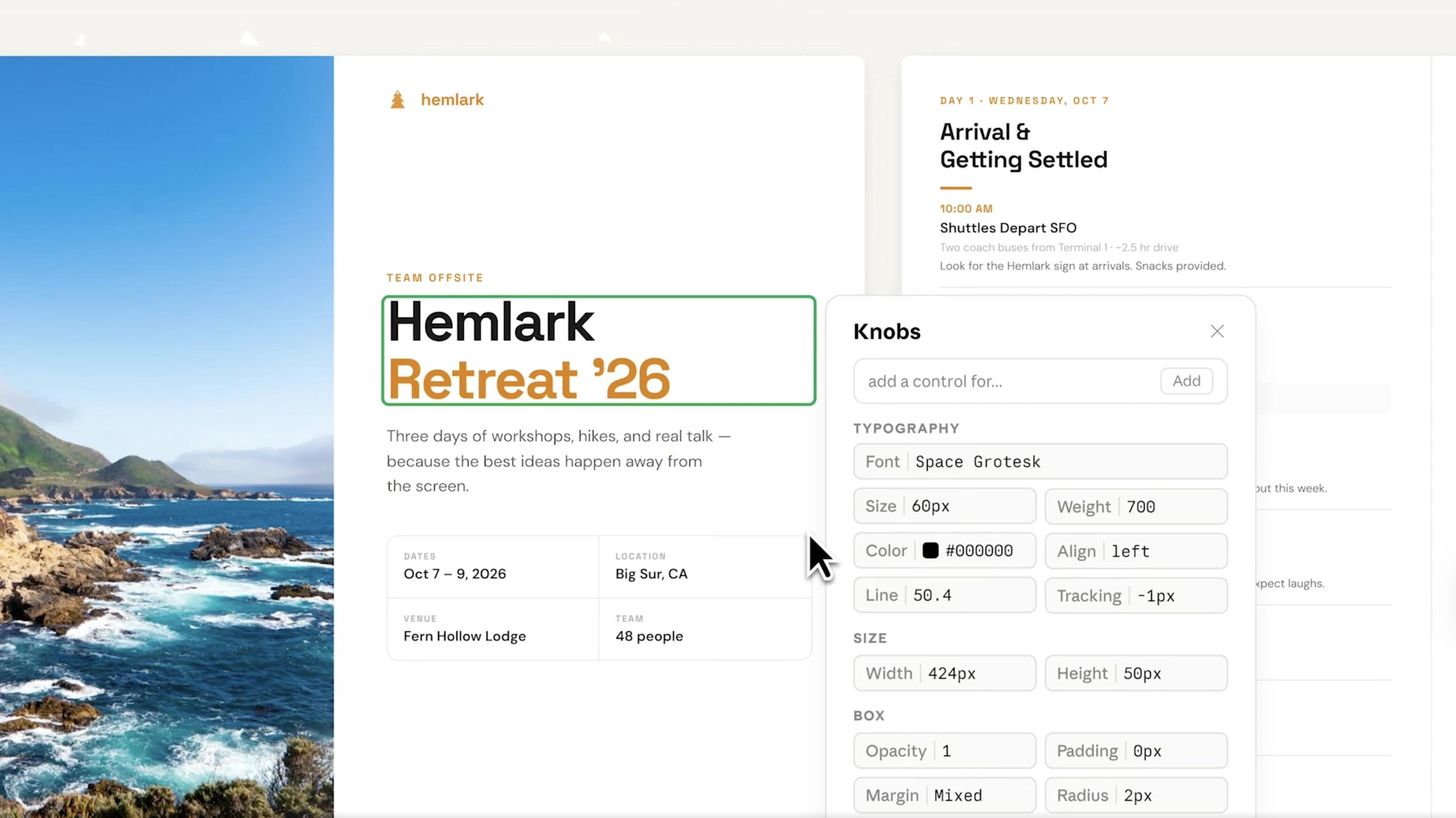
A Jane Street designer wrote that they now skip Figma entirely for some projects, "iterating on the visual design from the beginning with Claude" — a telling sign of how quickly this workflow is being adopted.
Automatic Design System Import
During onboarding, Claude Design reads your codebase and existing design files to automatically build a design system — including your brand colors, typography, and components. Every project you create afterward follows this system by default, ensuring brand consistency without manual setup. Teams can maintain multiple design systems and refine them over time.
Flexible Input Options
You're not limited to text prompts. Claude Design accepts:
- Text descriptions of what you want to create
- Uploaded images and documents (DOCX, PPTX, XLSX) as reference material
- GitHub repo connections for pulling design context from your codebase
- Web capture for grabbing elements directly from your website
- Local folder uploads for fonts, logos, and other brand assets
Export & Integration
Claude Design offers multiple output paths:
- Share designs as a public URL
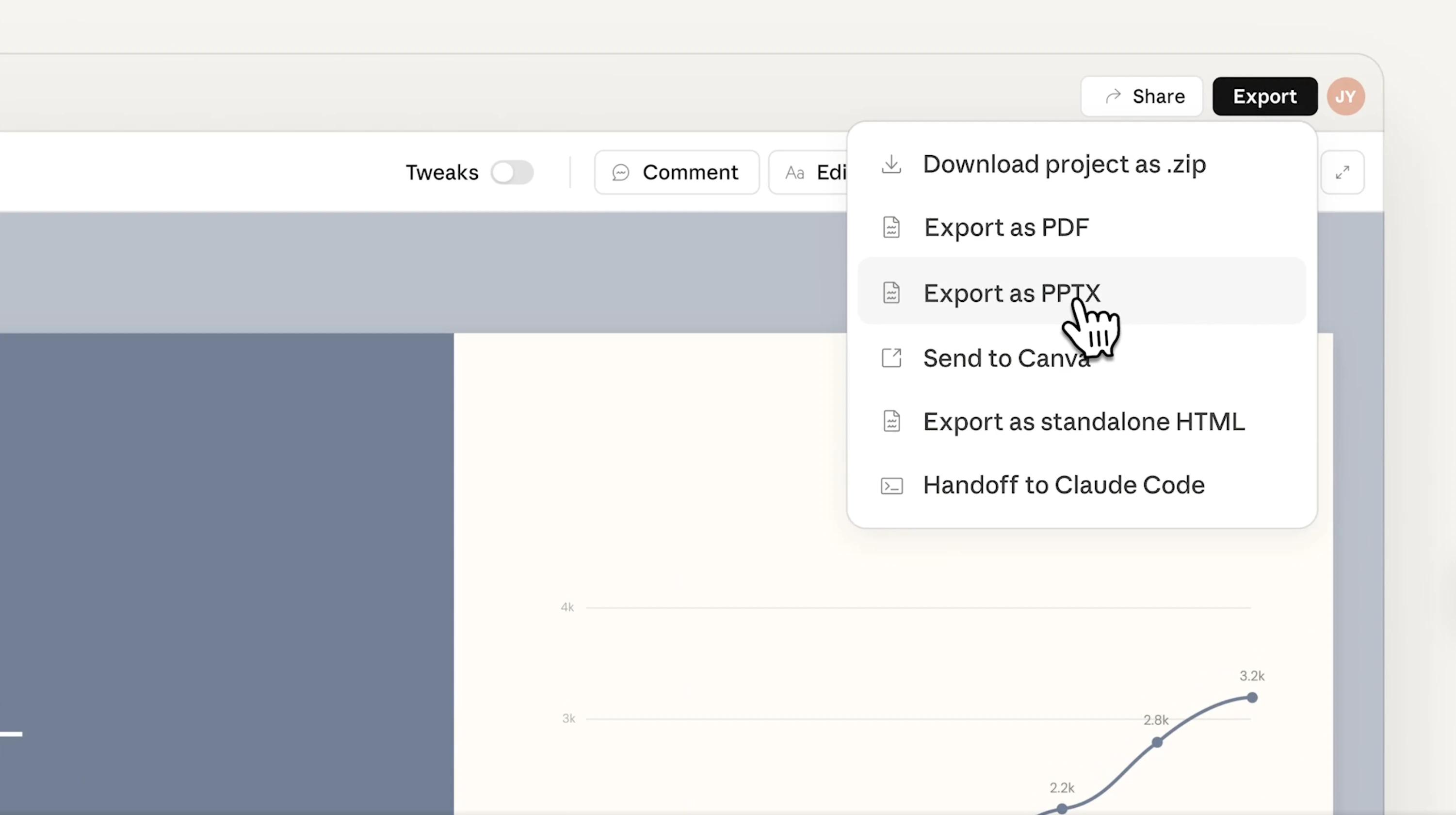
- Export to PDF, PPTX, HTML, or Canva
- Save as a local folder for further editing
- Package designs as a bundle and send directly to Claude Code for development
This last point is particularly powerful — it creates a seamless design-to-development pipeline entirely within Anthropic's ecosystem.
Who Should Use Claude Design?
Claude Design is built for people who need to communicate ideas visually but don't have deep design expertise. The ideal users include:
- Founders and startup teams who need to quickly prototype product ideas, pitch decks, and landing pages
- Product managers creating wireframes and mockups for engineering handoffs
- Marketers building one-pagers, campaign visuals, and presentation materials
- Developers who want to rapidly prototype UI concepts before writing code
- Internal teams producing reports, dashboards, and documentation with consistent branding
It's particularly strong for speed-to-first-draft scenarios — when you need something polished in minutes rather than hours. For teams that need pixel-perfect results, real-time collaboration, or production-ready assets, the limitations below matter more.
Pricing
Primary source: Claude Design subscription, usage, and pricing — Anthropic Help Center.
Claude Design requires a paid Claude subscription — there is no free tier. It comes included with existing Pro, Max, Team, and Enterprise plans at no extra charge. Usage is tracked independently from your regular Claude chat and Claude Code limits, so design activity never draws from those other allowances.
Each plan gets a recurring weekly allowance that resets every seven days. Extra usage can be purchased if you exceed your limit.
Individual plans
| Plan | Price | Best for |
|---|---|---|
| Free | $0/month | ✗ No access |
| Pro | $20/month | Quick explorations and one-off use |
| Max 5x | $100/month | Semi-regular use — PMs and engineers |
| Max 20x | $200/month | Power use — designers and creatives |
Team plan
| Seat type | Best for |
|---|---|
| Standard | Quick explorations, one-off use |
| Premium | Power users — designers and creatives |
Enterprise plans follow either legacy seat-based or usage-based billing; each provisioned user gets their own individual weekly allowance (not pooled). For Enterprise (usage-based) billing, one-time starter credits, and FAQs, see Claude Design subscription, usage, and pricing.
As PCWorld reported, even on the Pro plan you can exhaust your weekly design allowance surprisingly fast. For regular design work, the Max 5x or Max 20x plan is the realistic minimum.
Pros and Cons of Claude Design
Pros
- Zero learning curve — describe what you want in plain English and get a polished first draft. No design skills required.
- Blazing fast first drafts — go from zero to a complete visual concept in minutes, faster than any other tool on the market
- Automatic design system import — reads your existing codebase and design files to apply your brand automatically, eliminating hours of manual setup
- Flexible inputs — accepts text, documents, images, GitHub repos, and web captures, giving you multiple ways to provide context
- Claude Code pipeline — the only AI design tool with a native design-to-development handoff via Claude Code, creating an end-to-end AI workflow
- Part of a growing ecosystem — as Anthropic continues to invest in Claude, improvements to design quality, token efficiency, and collaboration are likely to come quickly
Cons
- Weekly allowance exhausts fast — Claude Design has its own independent usage tracking (separate from chat and Claude Code), but the Pro allowance is limited. PCWorld found that users can hit their weekly cap in as little as 30 minutes. For regular use, Max 5x ($100/month) or Max 20x ($200/month) is the realistic minimum.
- No real-time collaboration — Claude Design supports organization-scoped sharing and group editing sessions, but it is not a true multiplayer canvas. There are no Figma-style concurrent cursors, threaded element comments, or branching version history. A significant gap for distributed design teams.
- No native image generation — Claude cannot generate photos or illustrations the way dedicated tools do. Claude Design arranges and styles layouts, but all image assets must come from you. Pair it with Midjourney or DALL-E for original visuals.
- Output consistency can vary — as G2 reviewers noted, "sometimes the design results may turn out very different from what you expected." Achieving a specific result often requires multiple iterations.
- No free tier — unlike Canva, Figma, and most competitors, Claude Design requires a paid subscription starting at $20/month.
- Text accuracy risks — Claude can hallucinate statistics, precise numbers, and specific details, even in generated design content. For data-heavy tables, legal copy, or compliance documents, subtle text errors can appear with full confidence — production deployments have logged cases where Claude silently fabricated pricing or policy details. Any critical text in a Claude Design output should be verified before publishing.
Best Claude Design Alternatives in 2026
The AI design space in 2026 is crowded. Here are the strongest alternatives depending on your specific workflow.
1. Figma — Best for Professional Collaborative Design
Pricing: Free tier available (3 files). Professional: Full seat $20/mo (billed monthly) or from $16/mo (annual); Dev seat $15/mo; Collab seat $5/mo. Organization and Enterprise plans billed annually at $55/mo and $90/mo per full seat respectively.
Figma remains the industry standard for UI/UX design, with an 86% adoption rate among professional design teams and over 10 million monthly active users. Its real-time multiplayer editing, mature plugin ecosystem, and developer handoff tools are unmatched.
Choose Figma if: You're a professional design team that needs pixel-perfect control, robust collaboration, and integration with an established ecosystem.
Limitation: Steep learning curve for non-designers. AI features are still supplementary rather than core to the workflow.
2. Canva — Best for Marketing and Content Creation
Pricing: Free tier; Pro at $15/month (or ~$10/month annually); Teams at $20/seat/month ($10/seat/month annual, min. 3 seats)
Canva is the go-to tool for marketers and content creators who need social media graphics, presentations, and brand materials. Its template library is massive, and the learning curve is nearly zero. Canva's AI features — including Magic Design and text-to-image generation — make it a strong option for visual content at scale.
Choose Canva if: You primarily create social media content, marketing materials, and presentations, and want a template-driven approach with minimal learning curve.
Limitation: Not designed for UI/UX prototyping or interactive design work. Limited customization compared to Figma.
3. Lovable — Best for Full-Stack MVP Building
Pricing: Free tier (5 messages/day); Pro at $25/month; Business at $50/month; Enterprise custom
Lovable goes beyond design — it generates full working web applications with backend logic and deployment from a single prompt. It's the fastest path from idea to functional product. Anthropic's launch of Claude Design has raised questions about Lovable's $6.6 billion valuation, but Lovable's focus on shipping deployable apps rather than static designs gives it a distinct niche.
Choose Lovable if: You need a working MVP or functional prototype, not just a visual mockup.
Limitation: Less control over fine design details. Output quality depends heavily on prompts.
4. Veeso — Best for Content-First, Long-Document Design
Pricing: Free tier (300 credits/day); Pro at $20/month (6,000 credits/month); Ultra at $120/month
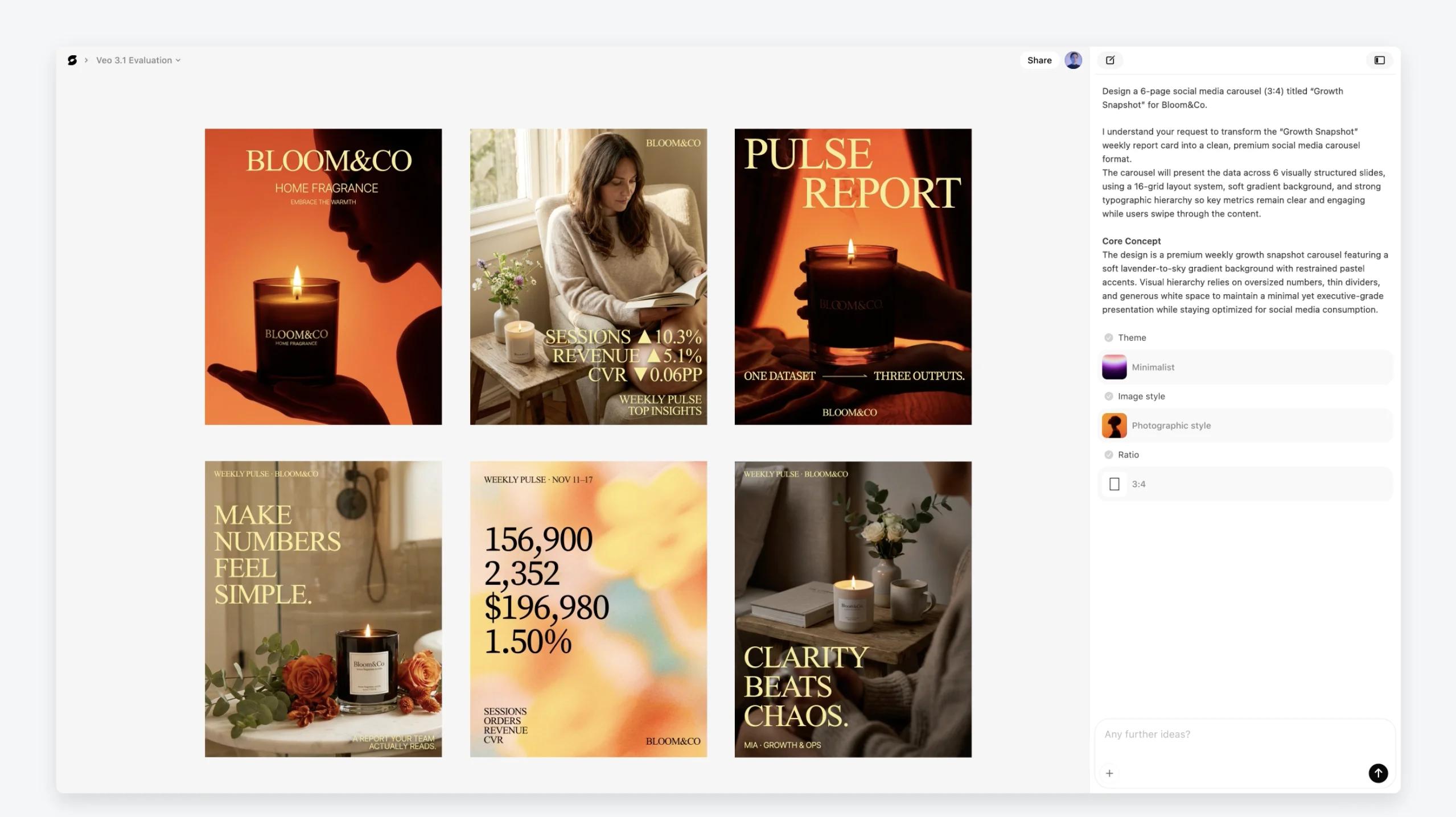
Most AI design tools — Claude Design included — require you to craft the right prompt. Veeso flips this model entirely with a "Content-In, Design-Out" philosophy: you paste your actual copy (an article, a report, a product brief), and the AI's Semantic Layout Engine analyzes your content structure to generate polished, ready-to-use layouts automatically. No prompt engineering required.
This content-first approach addresses several pain points that prompt-based tools struggle with:
- 100% textual accuracy — Veeso treats text as a structured data layer rather than rendered pixels, so every word, number, and heading comes through exactly as written.
- Multi-page long-form content — Veeso handles documents up to 100 pages with consistent brand logic across every page, making it strong for white papers, annual reports, and corporate communications. Claude Design is better suited to single-page prototypes and short-form materials.
- Predictable usage costs — Veeso gives 300 credits every day on the free plan, and 6,000 credits/month on Pro ($20/month) — credits are only for design output. Claude Design has its own weekly allowance separate from chat, but Pro users can still exhaust it in minutes of heavy use.
- Multi-format export — outputs span PPTX, SVG, HTML, and PDF, with every text box and element remaining fully editable in downstream software.
Veeso is particularly strong for event and exhibition design (banners, signage, backdrops), corporate communications (structured reports, branded slide decks), and scenarios where content accuracy and layout consistency matter more than interactive prototyping.
Choose Veeso if: You have existing content that needs to become professional visuals fast — especially for print, corporate, or long-form materials — without spending time on prompt engineering.
Limitation: Less focused on interactive prototyping or UI/UX design. Not a direct substitute for tools like Figma or Lovable that produce web-ready output.
Quick Comparison Table
| Tool | Best For | Output Type | Free Tier | Collaboration |
|---|---|---|---|---|
| Claude Design | Rapid prototyping | HTML, PDF, PPTX | No | Basic |
| Figma | Professional UI/UX | Figma files, code specs | Yes | Excellent |
| Canva | Marketing content | Images, PDF, video | Yes | Good |
| Lovable | Working MVPs | Deployed web apps | Yes | Limited |
| Veeso | Content-first, long-document design | PPTX, SVG, HTML, PDF | Yes | Excellent |
Detailed Comparisons: Claude Design vs Figma vs Veeso
The Gizmodo headline said it all: "Anthropic Launches Claude Design, Figma Stock Immediately Nosedives." But how does Claude Design stack up against each major competitor, dimension by dimension?
Claude Design vs. Figma
Design Philosophy
Claude Design follows a conversation-first approach — optimized for speed from zero to a polished first draft. Figma follows a canvas-first approach — optimized for precision and creative expression, with complete control over every element.
Speed vs. Control
- Claude Design produces a complete prototype in 2–3 prompts. A Jane Street designer described skipping Figma entirely for new apps.
- Figma requires more time upfront but gives you precise control over every pixel, interaction, and state.
Collaboration
Figma's strongest advantage and Claude Design's most significant gap. Figma offers real-time multiplayer editing with live cursors, threaded comments on specific elements, version history with branching, and developer handoff tools with auto-generated code specs. Claude Design does support organization-scoped sharing and group editing sessions, but there are no concurrent cursors, no element-level comment threads, and no branching version history — making it a solo-first tool for now.
Pricing Comparison
| Feature | Claude Design (Pro) | Claude Design (Max 5x / 20x) | Figma (Professional) |
|---|---|---|---|
| Monthly Cost | $20 | $100 / $200 | $20/full seat (or $15 annual) |
| Design Allowance | Weekly limit (own bucket) | Weekly limit, 5x–20x more | Unlimited |
| Metered separately? | Yes — own usage tracking | Yes — own usage tracking | N/A |
| Free Tier | No | No | Yes (3 files) |
Head-to-Head Summary
| Dimension | Claude Design | Figma |
|---|---|---|
| Speed to first draft | Excellent | Slow |
| Pixel-perfect precision | Limited | Excellent |
| Collaboration | Basic | Industry-leading |
| Learning curve | None | Moderate–steep |
| Design system setup | Automated | Manual |
| Developer handoff | Claude Code integration | Dev Mode + plugins |
| Token/usage limits | Restrictive | Unlimited |
| Interactive prototyping | Basic | Advanced |
| Plugin ecosystem | None | Extensive |
| Price for heavy use | $100–$200/month | $20/full seat/month (or $15 annual) |
The Verdict: Claude Design and Figma are not direct replacements. Use Claude Design for fast solo ideation and design-to-code handoff in the Anthropic ecosystem. Use Figma for precision, team collaboration, and complex production design work. The real threat isn't replacement — it's Claude Design making Figma unnecessary for a growing number of "good enough, fast" use cases.
Claude Design vs. Veeso
The Core Difference
Claude Design starts with your imagination — describe a concept and the AI builds a layout. Veeso starts with your content — paste your actual copy, and the AI's Semantic Layout Engine reads the structure and generates polished layouts automatically. No prompt engineering required.
This isn't a minor workflow difference. It's an entirely inverted design philosophy.
Use Case Fit
Claude Design is optimized for speed-to-first-draft scenarios: landing page prototypes, pitch deck concepts, UI wireframes. Veeso is optimized for content-to-production scenarios: corporate reports, event signage, branded slide decks, white papers. The content is finalized and needs professional layout treatment.
Text Accuracy
This is where the gap is most significant. Claude Design is built on Claude Opus 4.7, a powerful vision model — but vision models render text as pixels, which means occasional inconsistencies in data-heavy tables, legal disclosures, or long-form copy. Veeso treats text as a structured data layer, guaranteeing 100% textual accuracy. For financial reporting, event signage, and compliance documents, this is non-negotiable.
Multi-page, pricing & exports
| Dimension | Claude Design | Veeso |
|---|---|---|
| Optimal length | 1–10 slides / single page | Up to 100 pages |
| Brand consistency across pages | Requires iteration | Automatic |
| Free tier | No | Yes (300 credits/day) |
| Entry paid | $20/month (weekly allowance) | $20/month (6,000 credits/month) |
| Power user | $100–$200/month (Max 5x/20x) | $120/month (Ultra) |
The key distinction: Claude Design is metered separately from chat and Claude Code, but the Pro weekly design allowance can still drain quickly. Veeso is free with 300 credits/day; moving to Pro ($20/month, 6,000 credits/month) stays predictable for heavy layout work.
Head-to-Head Summary
| Dimension | Claude Design | Veeso |
|---|---|---|
| Starting point | Prompt (imagination) | Content (paste your copy) |
| Ideal for | Landing pages, UI prototypes, pitch decks, campaign visuals, Claude Code handoff | White papers, annual reports, branded decks, event & exhibition graphics — finalized copy → layout |
| Text accuracy | May vary — double-check tables, stats, legal copy | 100% — wording stays a structured data layer |
| Multi-page documents | Short decks / single surfaces by default | Up to 100 pages with consistent layout logic |
| Speed to first draft | medium | Very fast once your draft text is in place |
| Collaboration | Basic — org-scoped sharing & group sessions | Excellent — built for content-led, multi-page teamwork |
| Brand / layout consistency | Pulls design systems from repos & files | Semantic Layout Engine keeps hierarchy & brand logic across pages |
| Design → development | Strong — export bundle for Claude Code | Strong — editable PPTX / PDF / HTML / SVG for your existing toolchain |
| Print-ready output | Fine for screen-first deliverables | Strong — SVG and workflows tuned for print & signage |
| Free tier | No | Yes — 300 credits/day |
| Paid entry (~$20/mo) | Pro — weekly design allowance (separate from chat & Claude Code, per Anthropic) | Pro — 6,000 credits/month for layout generation |
| Power tier | Max 5x / 20x ($100–$200/mo) — larger weekly allowances | Ultra $120/mo for higher-volume production |
| Export formats | HTML, PDF, PPTX | HTML, PDF, PPTX |
SVG, Canva, and Claude Code handoff are compared in the Multi-page, pricing & exports table above.
The Verdict: These tools are better understood as complementary rather than competing. Choose Claude Design for ideation and interactive prototypes. Choose Veeso when content is ready and needs accurate, multi-page layout treatment.
Final Thoughts: Choosing the Right Design Tool
The AI design landscape in 2026 is no longer about finding one tool that does everything. Most teams are building multi-tool stacks tailored to their specific workflows:
- For rapid prototyping and ideation: Claude Design gets you from zero to visual faster than anything else on the market.
- For professional UI/UX design: Figma remains the gold standard for precision, collaboration, and ecosystem maturity.
- For marketing and content: Canva's template-driven approach and near-zero learning curve make it unbeatable for social and brand content.
- For functional MVPs: Lovable turns prompts into deployed applications, going beyond design into full product territory.
- For content-driven design: Veeso takes a different approach — paste your content instead of writing prompts — making it ideal for corporate communications, reports, and print materials where textual accuracy is non-negotiable.
The best choice depends on your output requirements, team size, budget, and where design fits in your overall workflow. Claude Design is an impressive v1 that will only get better, but understanding its current limitations — and knowing what alternatives exist — ensures you pick the right tool for the job.