
Plan Your Construction Groundbreaking Campaign
Build a complete announcement campaign for your groundbreaking ceremony — scripts, press releases, invitations, and stakeholder messaging all in one place. Enter your project details and get structured content ready to use. Export polished, print-ready materials when your campaign is set.
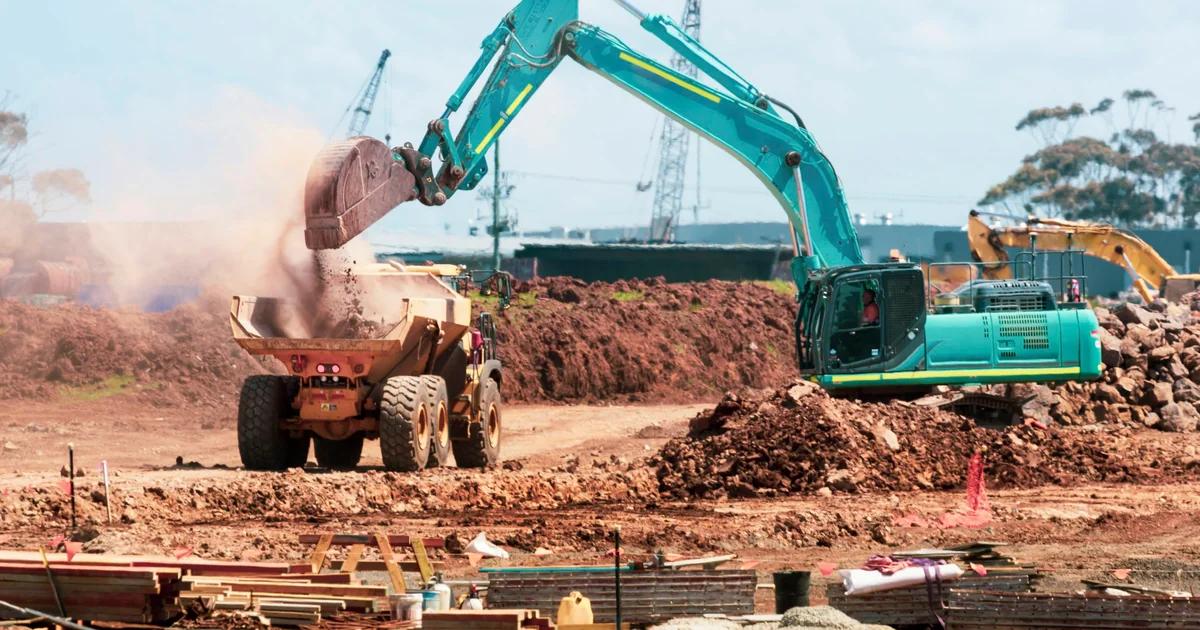
Three Ways to Generate groundbreaking ceremony visual campaign set
Describe Your Project and Generate the Full Campaign from a Prompt
Type in your project name, site location, milestone date, and the key audiences you need to reach. An AI groundbreaking ceremony generator uses that brief to populate announcement copy, ceremony program structure, and invitation layouts without you writing each piece separately. This method works best when you're starting from scratch and want a coordinated first draft fast.
- Auto-populates project name, date, and location across all campaign pieces from one input
- Generates distinct copy tones for press, VIP, and community-facing materials
- Produces a run-of-show outline alongside the visual ceremony program
- Outputs fully editable layouts so you can adjust any text block or image before export
Import Your Existing Project Document and Turn It Into Structured Visual Pages
If your team already has a project brief, a Word document, or a PDF with the site details and stakeholder notes, you don't need to retype everything. Upload the document and the tool extracts the key details, milestone dates, project context narrative, and contact information, then maps them into structured visual pages ready for a groundbreaking ceremony announcement package. This method saves the most time when a project brief already exists but hasn't been formatted for public-facing materials.
- Imports Word, PDF, or Markdown project documents and maps content to visual layouts
- Pulls milestone dates, project names, and location details automatically from the source file
- Separates internal project notes from public-facing ceremony program content
- Keeps all imported text fully editable so the team can refine before printing
Start from a Ceremony Template and Customize Per Stakeholder Segment
Pick a groundbreaking ceremony template from a style library that fits your project type, whether that's a municipal infrastructure project, a commercial development, or a community facility build. Then customize the layout, colors, and copy for each stakeholder segment: one version for the press kit, one for the formal invitation, one for the site program. Veeso AI keeps every version in the same editable campaign set so changes to shared details, like the ceremony time or speaker name, stay consistent across all pieces.
- Template library organized by project type and ceremony formality level
- Duplicate and adapt any template for different audience segments without starting over
- Shared style settings keep fonts, colors, and logo placement consistent across the full kit
- Export each piece as high-resolution PNG or print-ready PDF independently
Why choose Veeso for your coordinated groundbreaking event design kit
Keep Every Stakeholder Announcement Consistent
Groundbreaking campaigns reach investors, local officials, media contacts, and community members all at once. When each group gets a different version of the project name, milestone date, or site address, confusion follows fast. A unified campaign approach locks in one project brief and pulls the same details into every piece, from the press kit cover to the ceremony program.
Try It Free
Produce Print-Ready Ceremony Materials Without a Design Team
Most project managers don't have a graphic designer on call the week before a groundbreaking. You still need a polished ceremony program, a site signage layout, and a formal invitation that reflects the scale of the project. Starting from a coordinated groundbreaking event design kit means you get print-ready files at the right resolution without building layouts from scratch.
Try It Free
Match the Tone to the Audience, Not Just the Occasion
A press release for a regional outlet reads differently than a VIP invitation for a city council member or a community flyer posted at a neighborhood center. Groundbreaking ceremony campaigns that treat every audience the same tend to miss the mark with all of them. Segmenting your materials by audience, while keeping the core project narrative consistent, is what separates a professional campaign from a stack of mismatched PDFs.
Try It Free
Move Fast When the Permit Date Gets Confirmed
Construction groundbreaking timelines are often compressed. A permit clears, a date gets locked, and suddenly you have two weeks to coordinate a ceremony and get materials out the door. Having a campaign structure ready to populate, rather than starting from a blank page, is the difference between a polished event and a last-minute scramble.
Try It Free
Who Uses a Construction Groundbreaking Event Campaign Generator?
Municipal Infrastructure Project: Coordinating Stakeholder Announcements Across Government Tiers
City-funded construction projects involve multiple layers of stakeholders — elected officials, department heads, contractors, and residents — each expecting different information at different times. A construction groundbreaking event campaign generator helps you draft tailored announcements for each group from a single set of project details. You can produce a city council briefing memo, a community notice, and a contractor kickoff summary without rewriting the core facts each time. This keeps messaging consistent across channels and reduces the risk of conflicting information reaching different audiences before the ceremonial shovel turn.
Commercial Developer Press Push: Generating a Project Groundbreaking Press Release and Media Kit
Real estate developers often need to generate press coverage before a single wall goes up. A project groundbreaking press release generator lets you input project scope, key participants, timeline milestones, and location context, then outputs a structured release ready for distribution to local media. You can also draft a short media backgrounder covering the construction project kickoff rationale, financing partners, and community impact. Having both documents ready before the ceremony gives journalists enough context to file accurate stories without follow-up calls that slow your PR campaign down.
Hospital Expansion Ceremony: Building a Run-of-Show and Groundbreaking Ceremony Script for a VIP Audience
Healthcare construction groundbreakings typically involve board members, major donors, local officials, and clinical leadership — all with limited time and high expectations. A groundbreaking ceremony script generator can produce a timed run-of-show that sequences welcome remarks, donor recognition, project context narrative, and the ceremonial shovel turn without awkward gaps. When you feed in speaker names, roles, and project milestones, the output reflects the actual event rather than a generic template. Your event team and AV crew can work directly from the document, reducing last-minute confusion on ceremony day.
School District Bond Project: Creating a Community Outreach Campaign That Builds Public Trust
When a school district breaks ground on a bond-funded building, the community wants to know where their tax dollars are going. A construction groundbreaking event campaign generator can help you draft a neighborhood letter, a social media announcement, and a FAQ sheet from the same project details. Each piece addresses a slightly different concern — timeline, traffic disruption, contractor selection, and long-term benefit — without contradicting the others. Veeso AI can then turn the written content into print-ready flyers and social graphics that match your district's visual identity, giving your outreach a polished, consistent look across every channel.
Mixed-Use Development Launch: Producing a Multi-Channel Social Media Campaign Tied to the Groundbreaking Date
A mixed-use development groundbreaking is a natural moment to build public interest before the project is visible. A construction milestone event campaign creator can generate a sequence of social posts — pre-event teasers, day-of announcements, and post-ceremony recaps — each written to reflect the specific project, location, and development team. Rather than posting one generic update, you end up with a short content arc that keeps followers engaged across the construction timeline. The copy can be adapted for LinkedIn to reach investors and for Instagram to reach future residents, without rewriting from scratch each time.
University Campus Building: Briefing an External PR Agency with a Structured Groundbreaking Campaign Document
Universities often hire outside PR firms to handle construction milestone communications, but the briefing process can eat weeks if project details are scattered across emails and internal memos. A groundbreaking event stakeholder communication generator lets facilities and communications staff compile project scope, key dates, speaker roster, and messaging priorities into one structured document. The agency receives everything needed to draft the press release, prepare the ceremony program, and coordinate VIP guest communication without repeated back-and-forth. Veeso AI can support the visual side by converting the finalized program content into a designed, print-ready ceremony booklet.
Why construction project managers, PR coordinators, and municipal communications staff Choose Veeso AI
How to Create High-Converting groundbreaking ceremony announcement package
Lock Your Project Context Narrative Before You Design Anything
Write down the core facts first: the official project name, the confirmed groundbreaking date, the site address, the lead organization, and a one-paragraph description of what's being built and why it matters. Every piece in your groundbreaking ceremony announcement package, from the press release to the ceremony program, should pull from this single source so nothing contradicts anything else.
Segment Your Audiences and Map Each Deliverable
List every group that needs a communication: media contacts, elected officials, investors, neighboring residents, and on-site guests. Assign a specific deliverable to each group, such as a press kit cover, a formal VIP invitation, a community outreach flyer, or a printed ceremony program. This audience map becomes your groundbreaking ceremony checklist and tells you exactly how many distinct pieces the campaign requires.
Build the Ceremony Program and Run-of-Show Together
Draft the run-of-show first, listing each segment of the ceremony in order: arrival, welcome remarks, speaker introductions, the ceremonial shovel turn, and any post-ceremony reception details. Then use that sequence to build the printed ceremony program so the two documents stay aligned. Guests and speakers both benefit when the printed program matches what actually happens on site.
Produce and Export Your Full Campaign Kit as Print-Ready Files
Once your layouts are finalized and reviewed, export each piece at the correct resolution for its intended use, high-resolution PDF for printed programs and press kits, and PNG for digital distribution to media or community boards. If you're using a tool like Veeso AI to manage the campaign set, every piece stays editable up to the moment you export, so a last-minute speaker change or date correction doesn't require rebuilding the layout from scratch.
FAQ

Ready to Create Beautiful Coordinated Groundbreaking Event Design Kit with Veeso AI?
Start Creating NowNo credit card required • Free to start • No design skills required
Explore More AI Graphic Design Use Cases
Discover more creative design scenarios powered by Veeso AI.



