
Launch Your Black Friday Campaign Without the Scramble
Plan a full teaser-to-last-call product launch sequence in one place. Describe your product, pick your campaign stage, and get ready-to-use copy and visuals. Export print-ready assets for email, social, and beyond.
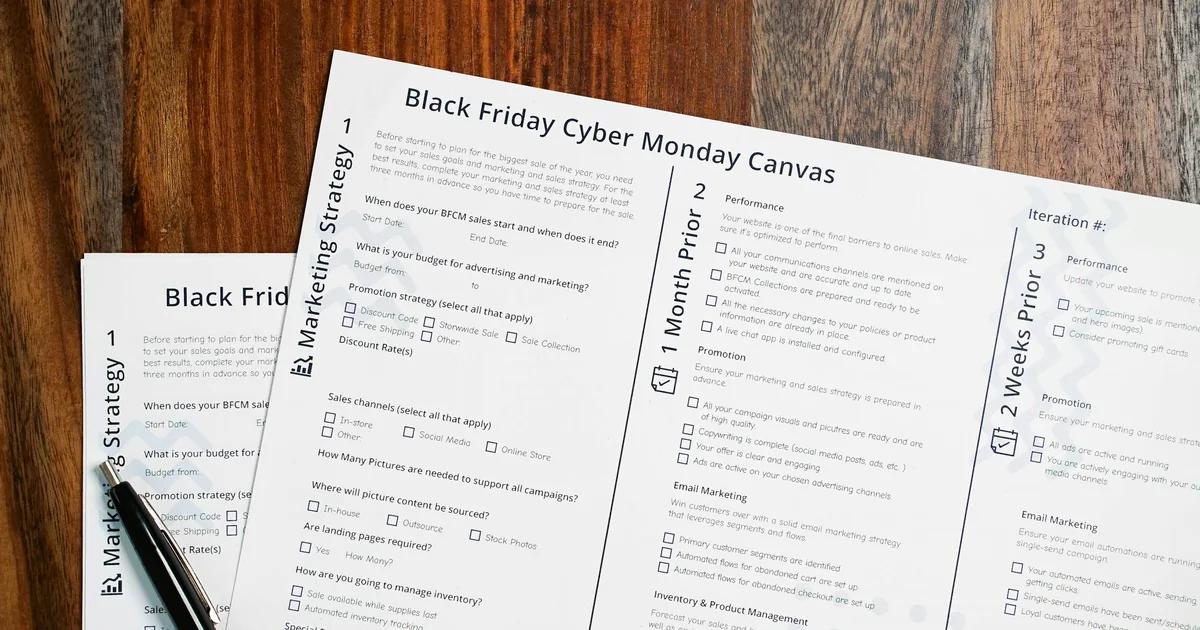
Three Ways to Generate Black Friday launch visual campaign sets
Describe Your Product Launch in a Prompt and Get a Full Campaign Set
If you know your product, your deal, and your Black Friday window, you already have everything a prompt-based AI campaign generator needs. Type in your product name, the offer, and the tone you want — urgent, minimal, bold — and the tool builds a structured visual set around that brief. This approach works best when you're starting fresh and want the layout decisions made for you.
- Paste your deal copy and product details directly into the prompt
- AI builds teaser, launch-day, and last-call layouts from a single input
- Every text box, image placeholder, and layer stays editable after generation
- Export each phase asset as high-resolution PNG or print-ready PDF
Start from a Black Friday Campaign Template and Customize for Your Product
Sometimes you know the visual direction you want but need a structured starting point. Picking a Black Friday campaign template gives you a proven layout for each phase — teaser countdown, launch announcement, and last-call urgency — so you're editing rather than building. This method suits teams with existing brand assets who want to move quickly without guessing at hierarchy or spacing.
- Browse templates organized by campaign phase: teaser, launch, last-call
- Swap in your product images, offer details, and brand colors
- Adjust headline size and layout to match your product's visual weight
- Duplicate and modify across formats for email headers, social posts, and print
Import Your Campaign Brief or Product Doc and Turn It Into Designed Visuals
If your marketing team already wrote the campaign copy in a Word doc, a PDF brief, or a Markdown file, you don't need to retype it into a design tool. Import the document and the AI structures your content into visual pages, preserving your copy hierarchy and turning raw text into a polished, editable layout. This method is ideal for agencies or in-house teams handing off a written brief to a visual output.
- Import PDF, Word, or Markdown files containing your campaign copy
- AI maps your content structure into teaser, launch, and last-call visual pages
- All imported text remains editable after the layout is generated
- Export finished assets in the formats your channels require
Why choose Veeso for your Black Friday promotional graphics
Keep Your Teaser, Launch, and Last-Call Visuals Consistent
A Black Friday product launch spans multiple days and touchpoints. If your teaser graphic looks nothing like your launch-day banner or your last-call social post, shoppers lose trust in the campaign before they even click. Generating a coordinated visual set from a single brief locks in the same colors, fonts, and tone across every phase, so the whole campaign feels intentional.
Try It Free
Move Fast Without Sacrificing the Product Story
Black Friday timelines are brutal. You're writing copy, finalizing pricing, and building urgency content all at once. Starting from a blank canvas for every asset wastes hours you don't have. An AI campaign generator lets you paste your product details and deal terms, then builds structured, editable layouts around that content so the product story stays front and center.
Try It Free
Adapt Your Black Friday Sale Ideas Without Rebuilding Everything
Last-minute deal changes happen every year. A percentage-off becomes a bundle offer, or a flash sale window shifts by 12 hours. When your visuals are fully editable rather than locked images, you can update one text box or swap one price callout without touching the rest of the design. That flexibility matters most in the 48 hours before and during the launch.
Try It Free
Export Print-Ready and Screen-Ready Files from the Same Campaign Set
Small businesses running Black Friday promotions often need the same campaign to work across a printed shelf card, an email header, and an Instagram post. Rebuilding each format separately doubles your workload. A campaign generator that outputs high-resolution PNG and PDF from the same editable source means you cover every channel without starting over each time.
Try It Free
Who Uses a Black Friday Product Launch Campaign Generator?
Solo product creator launching a new digital product on Black Friday
You've spent months building a digital product and Black Friday is your biggest shot at a launch. The problem is you're writing every email, caption, and teaser from scratch while also managing everything else. A Black Friday product launch campaign generator lets you input your product details once and get a structured teaser-to-last-call content sequence across email and social. You get urgency-driven copy for each stage of the launch without staring at a blank page. That means more time spent on your product and less on wrestling with words.
Small retail brand coordinating a multi-channel Black Friday drop
Small businesses running a Black Friday sale often juggle email, Instagram, and SMS with no dedicated marketing team. The challenge isn't just writing the copy. It's keeping the tone and message consistent across every channel when you're switching between platforms all week. A campaign generator built for product launches maps your messaging to specific moments: the early teaser, the go-live announcement, and the final-hours push. Each piece stays on-brand and timed correctly without you manually rewriting the same offer five different ways.
E-commerce brand designing print-ready Black Friday launch visuals
Once your campaign copy is locked, turning it into polished visuals is often the slowest step. You need banners, email headers, and social graphics that match your Black Friday theme without looking rushed. Veeso AI lets you paste your campaign copy directly into a design workspace and get a structured, fully editable layout in return. Every text box and image layer stays editable, so you can swap in your product photo or adjust the headline without starting over. The output exports as high-resolution PNG or PDF, ready for any channel.
Subscription box company building a Black Friday teaser sequence
Subscription boxes thrive on anticipation, and Black Friday is the perfect moment to build it. A teaser campaign that drips hints about what's inside the box can drive early sign-ups before the cart even opens. A Black Friday teaser campaign generator helps you structure that pre-launch hype content day by day, with subject lines and body copy that raise curiosity without giving everything away. You get a sequence that feels intentional rather than improvised, which matters when your subscribers are getting flooded with competing offers.
Course creator adapting Black Friday campaign ideas for an enrollment window
Online course launches and Black Friday overlap in a way that can either amplify your results or bury your message. The key is matching your scarcity messaging to the actual enrollment window. If your cart closes Sunday night, your last-call email content needs to reflect that specific deadline, not a generic countdown. A Black Friday campaign generator lets you set your exact open and close dates and get copy that references real urgency rather than manufactured pressure. That specificity builds trust with an audience that has seen every flash sale tactic before.
Agency producing Black Friday campaign templates for multiple clients at once
Running Black Friday campaigns for several clients at the same time means you can't afford to build each one from zero. The risk is that every client ends up with the same generic structure dressed in different colors. A Black Friday promotional content generator lets you feed in each client's product, audience, and offer details separately and get a distinct teaser-to-close sequence for each. Veeso AI can then take that copy and produce coordinated, editable visual assets for each campaign so the design output matches the messaging without extra back-and-forth.
Why e-commerce store owners, independent product creators, and small business marketers Choose Veeso AI
How to Create High-Converting Black Friday campaign visuals
Map Your Three-Phase Launch Timeline Before You Design Anything
Decide your teaser window (typically 7 to 10 days out), your launch-day moment, and your last-call cutoff (usually the final 6 to 24 hours). Writing these dates down first means every visual you create has a clear job and a clear deadline.
Write Your Core Campaign Copy for Each Phase
Draft the headline, offer details, and call to action for your teaser, launch announcement, and last-call urgency message before opening any design tool. Clean, specific copy is what a Black Friday campaign generator turns into a finished layout, so the stronger your brief, the stronger the output.
Generate or Select Your Black Friday Launch Visual Set
Enter your campaign brief as a prompt, pick a campaign template that matches your product's tone, or import your written doc to get a structured visual set. Tools like Veeso AI produce editable layouts for each phase so you can adjust headlines, swap images, and update pricing without rebuilding the design.
Edit, Finalize, and Export Each Phase Asset
Review each layout for accuracy — check your offer terms, dates, and product names — then export in the formats your channels need. High-resolution PNG works for digital placements and email headers, while PDF handles any print materials in your campaign.
FAQ

Ready to Create Beautiful Black Friday Promotional Graphics with Veeso AI?
Start Creating NowNo credit card required • Free to start • No design skills required
Explore More AI Graphic Design Use Cases
Discover more creative design scenarios powered by Veeso AI.



